Launch crypto payments without building compliance infrastructure
KYC, payments, compliance, licensing, and settlement — handled by Banxa. Available in 150+ countries, 45 regulatory licences.
$10B
in annual transaction volume
550M
pricing quotes generated
150+
countries and regions
45
regulatory licences held
What Banxa handles
End-to-end infrastructure so you don't have to build it yourself.
Payments
Cards and bank transfers
Apple Pay and Google Pay
Local payment methods across 150+ countries
Compliance & Identity
KYC — document verification and liveness checks
AML screening and transaction monitoring
45 regulatory licences — no VASP registration needed
Settlement
Fiat purchase and crypto delivery — fully managed
Your platform receives the confirmed transaction result
Multi-currency, multi-chain support
How it works
Seamless orchestration between users and the blockchain infrastructure.
User
Your App
Banxa API
Payments & rails
KYC & AML
Settlement
Choose your integration
Recommended for most partners
GO LIVE IN DAYS
Banxa Hosted Checkout
Banxa-managed KYC and checkout. Skip the licensing, verification, and payment rail complexity — Banxa handles it all.
Banxa-hosted — redirect or embedded iFrame
No backend required for core flows
Banxa handles all KYC in checkout
Three paths: Referral URL, API, or React Native SDK
Wallets, dApps, gaming platforms, content apps
FULL UX CONTROL + PARTNER-MANAGED KYC
Banxa Native API
Fully headless. Partner-managed KYC — you verify your users, Banxa validates compliance and handles payment rails. No Banxa screens, no redirects, no PCI overhead.
No Banxa screens, no redirects, no iFrames
Native card, Apple Pay & Google Pay via SDK — no PCI overhead
Core payment flow: days to implement
HMAC server-to-server auth; partner handles KYC
Exchanges, custodial wallets, fintech apps
How long does integration take?
Banxa Hosted Checkout
Frontend-only — no backend required for core flows
Sandbox access in minutes
Production live in days to 2 weeks
Native API
Core payment flow: days to implement
Native card & Apple Pay via SDK — no PCI certification needed
KYC orchestration adds 1–2 weeks depending on complexity
Build with Agents
Give your agent the docs before you write a single line of code.










Products we offer
Comprehensive solutions to power your crypto infrastructure.
On-Ramp (Fiat to Crypto)
Allow users to easily purchase cryptocurrencies using local fiat payment methods like cards, bank transfers, and Apple Pay.
Off-Ramp (Crypto to Fiat)
Provide a seamless off-ramp for users to sell their crypto and receive fiat currency directly into their bank accounts.
See how it integrates
JS SDK
// Include the SDK loader in your page
!function(callback) {
  var b = document.createElement('script');
  b.type = 'text/javascript';
  b.async = true;
  b.src = 'https://sdk.banxa.com/js/banxa-sdk-latest.js';
  var x = document.getElementsByTagName('script')[0];
  x.parentNode.insertBefore(b, x);
  if (callback) { b.addEventListener('load', function() { callback() }) }
}(function() {
  const banxa = new Banxa('your-partner-name');

  banxa.redirect('#buy-button', {
    coinType: 'ETH',
    fiatType: 'USD',
    fiatAmount: 100,
    walletAddress: '0xe3BDEFdAeFF070925eB7FfC49F9B30c647Cb751e'
  });
});
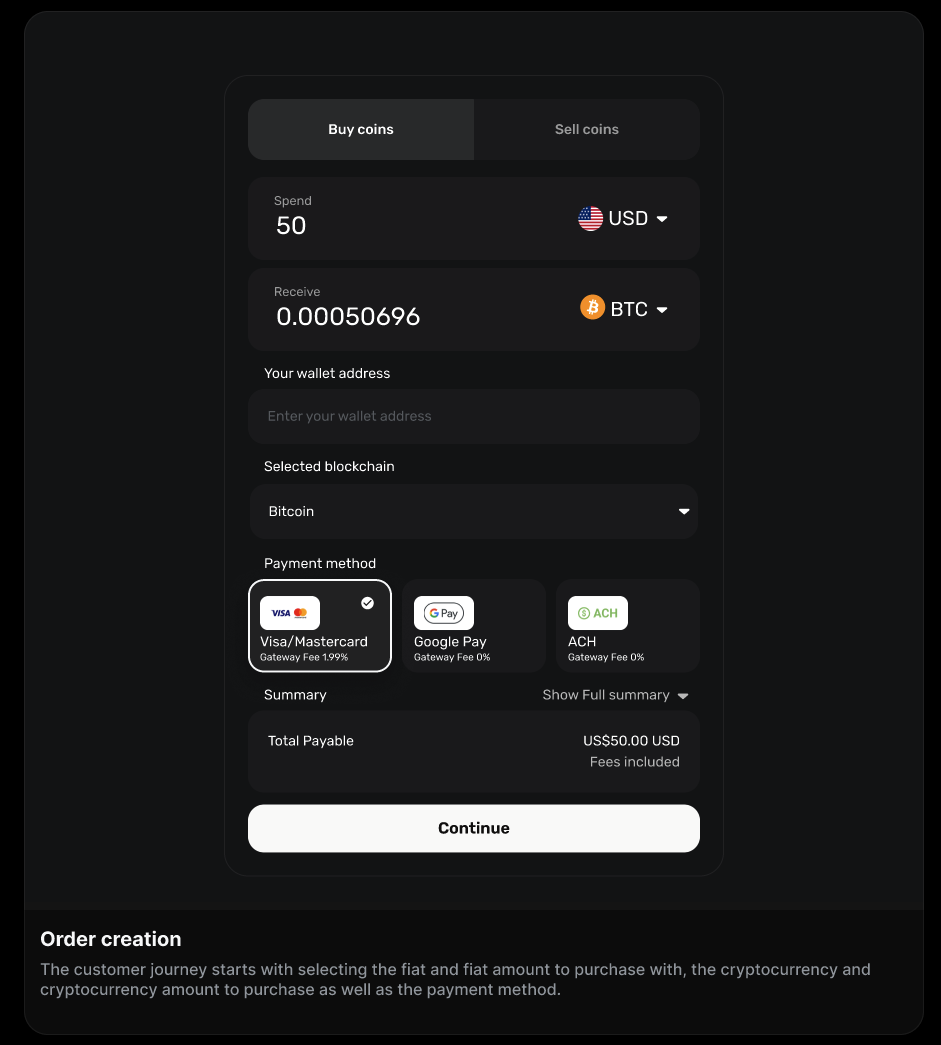
See the checkout flow
Get started
Sandbox access in minutes. Most integrations are live in days.