For the complete documentation index, see llms.txt. Append
.mdto any page URL for its markdown version.
This page describes the general flow that end-users experience when purchasing or selling cryptocurrency through Banxa. Understanding this journey helps you design the right integration touchpoints and set accurate customer expectations.
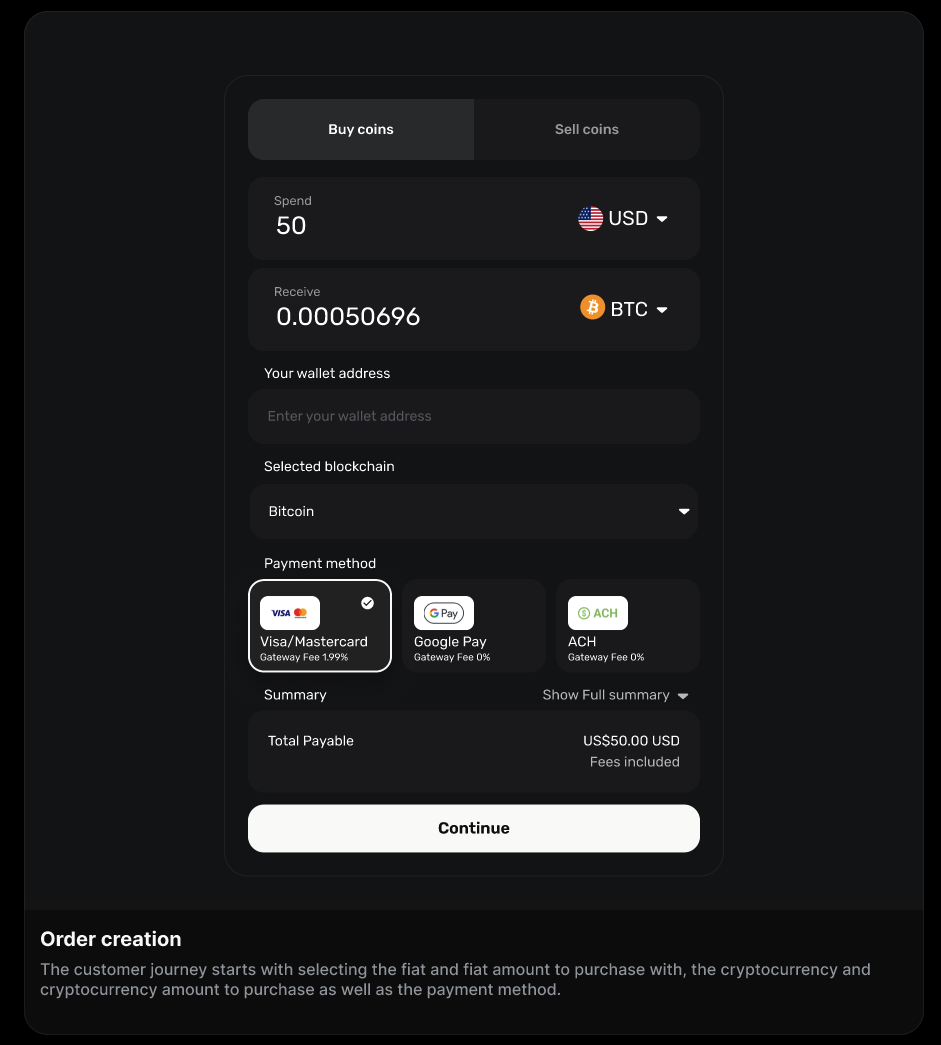
Banxa's checkout abstracts the complexity of crypto payments — liquidity management, regulatory compliance, and payment network integrations — so your customers interact with a streamlined, guided flow rather than raw blockchain infrastructure.
1. Enter amount       → Customer selects crypto and fiat, views live quote
2. Identity check     → KYC verification (first-time or tiered)
3. Payment            → Customer pays via their chosen method
4. Processing         → Banxa confirms payment and purchases crypto
5. Delivery           → Crypto sent to customer's wallet address
6. Completion         → Customer redirected to your redirectUrl
First-time customers will be guided through document upload and identity verification before reaching the payment step. Returning customers who are already verified may proceed directly to payment.
1. Enter amount       → Customer selects crypto to sell, views live quote
2. Bank details       → Customer provides fiat payout account
3. Identity check     → KYC verification if required
4. Crypto transfer    → Customer (or your platform) sends crypto to Banxa
5. Processing         → Banxa confirms receipt and arranges fiat payout
6. Completion         → Fiat sent to customer's bank account
For the custodial flow, your platform executes the crypto transfer on the customer's behalf after receiving a webhook notification. → See Custodial vs. Non-Custodial.
If you use the API integration, you can show the customer a live quote in your own UI before they enter the Banxa checkout. This sets expectations and reduces drop-off at the payment step.
First-time users will spend the most time in the identity verification step. You can reduce this friction significantly by using KYC sharing or Sumsub integration if you already collect identity data.
Banxa recognises returning customers and avoids re-collecting information already on file. Passing a consistent externalCustomerId in every order is essential for this to work. → See Integration Best Practices.
When the transaction is complete (or cancelled), the customer is redirected to your redirectUrl. Use webhooks to get the authoritative order status rather than relying on the redirect URL parameters alone.